 Wasap.ai
“Can you confirm whether our order arrives tomorrow?”
Wasap.ai
For business owners whose teams work through WhatsApp
Know exactly what your team needs to act on next
Wasap.ai connects context across your team's business conversations, then shows you what is unfinished, overdue, blocked, or waiting for an owner—along with the clearest next move.
Stay in control without reading every chat, chasing every employee, or running the business from memory.
One conversation rarely contains the whole story.
When evidence supports the match, Wasap.ai can connect related discussions across different chats before showing your team what needs attention.
“We are still waiting for the incoming stock.”
“The delivery is now scheduled for Monday.”
Illustrative Head of Staff finding
The customer update is waiting on Monday's stock delivery.
- Owner
- Maya
- Next move
- Update the customer after the supplier confirms delivery.
- Evidence
- Connected across three related conversations.
Your Head of Staff does not simply summarize chats. It connects the dots between them.
Connect WhatsApp. Receive an evidence-backed briefing.
Your team keeps replying in WhatsApp. At the scheduled time, Wasap.ai reviews eligible changed conversations and prepares the email.
- WhatsAppWasap.ai
Connect the WhatsApp number your team already uses
Your team continues customer conversations in WhatsApp.
- Every day9:00 AM
Choose when briefing emails arrive
Select a schedule and office hours within the frequency included in your plan.
- Weekly briefingYour WhatsApp briefingCurrent status
Why today
Next moveSee what needs attention first
Each reported matter includes its current status, why it appears now, a next move when supported, and a link to WhatsApp.
The work costing you money is rarely announced. It stays buried in WhatsApp.
A customer request nobody answered. A promise nobody completed. A decision waiting for approval. A task everyone assumed somebody else was handling.
Illustrative conversation
6 hours ago
CustomerIf you can send the final price before 10 AM, I can confirm the order today.
Sales6 hours overdue · Customer still waitingSure, I’ll send it before 10.
A ready customer is still waiting for your price.
Urgent requests sit beside ordinary messages until somebody remembers to check.
Illustrative conversation
1 day ago
Maya · Sales groupThe customer needs the revised quote today. Who can send it?
Jordan · Sales groupSeen by 3 teammates · Nobody took ownershipI thought Admin was handling it.
Everyone saw the request. Nobody knew who should handle it.
Work stalls when the next action has no visible owner.
Illustrative conversation
4 days ago
CustomerPlease let me know once my deposit is confirmed.
Accounts3 days overdue · Customer still waitingReceived. I’ll confirm it with you by Friday.
The team promised an update. New messages pushed it out of sight.
New chat activity pushes an open commitment out of sight.
Unfinished work does not always look urgent—until it becomes expensive.
Across customers, suppliers, documents, and internal decisions, the pattern is the same: nobody has the complete picture.
Illustrative conversation
2 days ago
SupplierPlease confirm the revised quantity by 3 PM so we can hold Monday’s delivery slot.
PurchasingDeadline passed · Monday delivery at riskI’ll get approval and come back to you this afternoon.
A supplier is waiting for confirmation.
A missed internal approval is now putting the supplier’s delivery slot at risk.
Illustrative conversation
3 days ago
CustomerThe replacement still hasn’t arrived. Can someone check?
Support1 day overdue · No update sentI’ll check with operations and update you by 5 PM.
A customer issue has no clear owner.
Support promised an answer, but responsibility disappeared between teams.
Illustrative conversation
4 days ago
ManagerPlease send the signed agreement to legal before 4 PM.
Team member4 days overdue · Legal still waitingUnderstood. I’ll send it before 4.
A document was promised but never sent.
Legal is still waiting because the promised handoff disappeared beneath newer messages.
Illustrative conversation
5 days ago
SalesCan we send the final quote to the customer today?
Finance5 days blocked · Approval still openNot yet. We’re still waiting for margin approval from management.
A task is blocked by another team.
Sales cannot move until Finance receives a decision from management.
Wasap.ai brings unfinished conversations back into view before they become lost revenue, broken promises, or avoidable delays.
From conversation to accountable action.
In this illustrative example, the finding shows the current status, why it needs attention, and a recommended next move supported by the conversation.
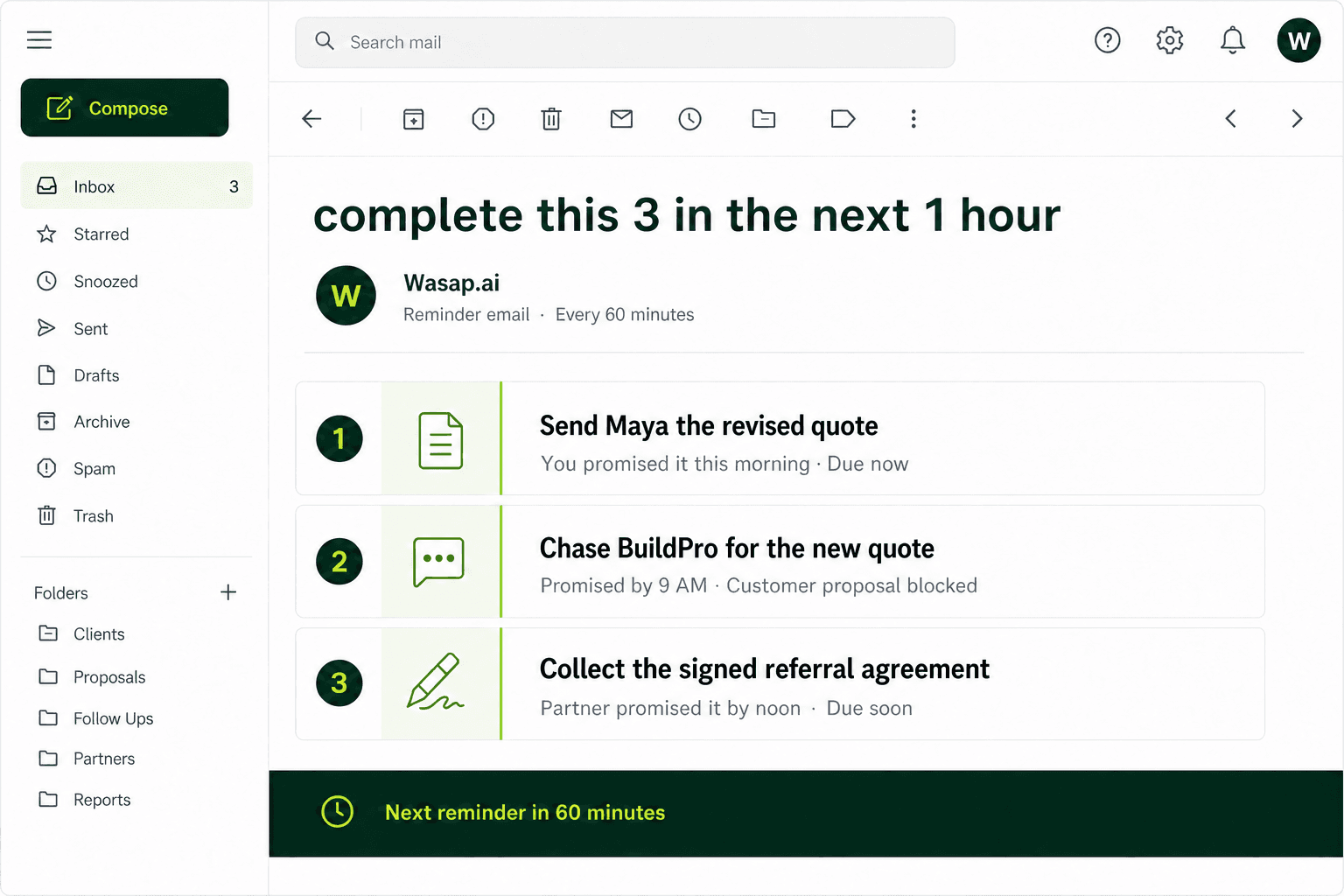
Revised quote requestTuesday
Can you send the revised quote today?
Yes. Before 3 PM.
Two days overdue
The quote was never sentThe customer is still waiting
Your Head of Staff reports
The revised quote is two days overdue.
- Owner
- Maya
- Next move
- Send the revised quote, then confirm delivery with the customer.
- Evidence
- Promised Tuesday: “Before 3 PM.”
Turn reviewed WhatsApp activity into one clear briefing.
See what needs you, what is waiting on others, what is scheduled, what changed, and what still needs checking.
Know what needs you first
Bring evidence-backed requests and commitments that require your action into one section.
Buried in chatNeeds you
See what is waiting on others
Keep blocked work visible without presenting it as something your team should do now.
Who has the next move?Waiting on others
Separate scheduled work from uncertainty
Distinguish what is already scheduled from what still needs somebody to check.
What is happening?Scheduled or needs checking
Your Head of Staff provides clarity. Your people remain in control.
Wasap.ai does not message customers, make decisions, or complete work for your team. It reports evidence-backed matters and links your team to the relevant WhatsApp conversation.
Your people remain in control
Wasap.ai reports what needs attention. It does not message customers, make decisions, or complete the work.
Customer replies stay in WhatsApp
Wasap.ai links each reported matter back to WhatsApp, where your team continues the conversation.
Be the person who remembers
Your Head of Staff can surface promises and next steps from included conversations with family and friends too—helping you show up for the people who matter outside work. Turn off AI or exclude any chat whenever you choose.
Workspace administrators can disconnect
Disconnecting stops new WhatsApp messages from reaching Wasap.ai. Saved records remain subject to your retention settings.
Business conversationsConnected to your organization workspace
Quiet-period reviewActive conversations are skipped
Evidence-backed briefingEligible users receive the email
One connection is all it takes to get started.
Connect the business WhatsApp number your team already uses. Wasap.ai begins organizing relevant business activity in the background while everyone continues working normally.
Your only setup
Connect your business WhatsApp.
Your team keeps the number and communication workflow it already knows.Wasap.ai takes it from here
- Connects related context across conversations
- Organizes people, matters, promises, and decisions
- Identifies unfinished or blocked work
- Shows who needs to act and what comes next
- Keeps the supporting evidence attached
No tasks to enter. No chats to tag. No second communication tool for your team to maintain.
Start free todayQuestions before you connect.
Clear answers about reviews, customer messages, privacy, schedules, and account control.
Which conversations does Wasap.ai review?
At each scheduled briefing run, Wasap.ai checks the latest classified business conversations allowed by your plan. A conversation must have been inactive for at least five minutes. Eligible changed conversations are reviewed within the run limits; unchanged conversations reuse their previous results.
Will Wasap.ai send messages or make decisions for my team?
No. Wasap.ai identifies unfinished work and reports it with the supporting conversation evidence. Your team decides what happens next and continues speaking with customers directly.
Can Wasap.ai help with personal matters too?
Yes. Personal conversations are not automatically excluded. When AI access remains on, Wasap.ai can surface clear promises and next steps from those chats too—so plans, errands, and favours are less likely to be forgotten. Authorized users can turn off AI or exclude any chat whenever they choose.
How often will my team receive a briefing?
Each eligible user can choose when emails arrive within the frequency included in the workspace plan and can set office hours. The Free plan includes one weekly Head of Staff email.
How is workspace data protected?
Wasap.ai uses access controls, tenant isolation, encryption for sensitive credentials, private document storage, short-lived document links, and audit logging.
Can I disconnect or delete my data?
You can disconnect WhatsApp from your organization settings. Workspace administrators can manage retention, deletion cycles, and anonymisation. Some records may need to be retained for legal or security reasons.
Stop running your business from memory.
Connect WhatsApp and let your AI Head of Staff report what needs you, what is waiting on others, and the next move when the evidence supports one.
- No credit card
- No AI messages to customers
- Disconnect anytime
One weekly briefing. No credit card required.Start free today